Tiny Skies Fighter Jet & Helicopters Tiny Skies Controls
One shared scheme for 21 jets and 7 helicopters—master it once, fly everything.
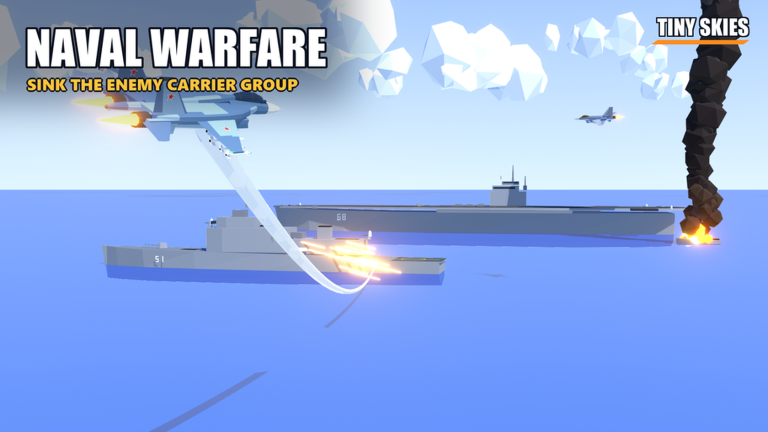
Tiny Skies Fighter Jet & Helicopters keeps a shared control scheme across the entire hangar. Whether you spawn in a free F-5E or a late-game Apache, the same mouse, throttle, weapon, flare, map, and gear inputs apply. Learn the spine once, then adjust for jet energy fighting versus helicopter hover work. This page is the PC reference; touch players should also read mobile controls.
If you are brand new, skim getting started first so hangar and Flight School context are clear before you memorize keys.
Full PC control list
| Input | Action |
|---|---|
| Mouse movement | Fly the aircraft and aim guns |
| Left click (LMB) | Fire guns |
| Space | Fire selected weapon (missiles, rockets, bombs) |
| R | Cycle to next weapon |
| Shift | Increase throttle / power |
| Ctrl | Decrease throttle / power |
| X | Deploy flares (defeat heat-seekers) |
| M | Toggle map |
| Tab | Scores / match status |
| G | Landing gear up / down |
That table is the entire combat loop. Guns stay on LMB so you can track while firing. Space always spends the currently selected special weapon—heat-seekers, radar missiles, rockets, bombs, or anti-ship stores depending on the airframe. Press R until the weapon you want is armed, then Space when the shot is clean. Deep weapon theory lives on weapons and flares.
Takeoff checklist (jets)
Flight School and live runways teach the same rhythm. Use this checklist until it is automatic:
- Hold Shift to build speed. The training cue sits around speed 150 before you rotate.
- Ease the nose up with the mouse—do not yank into a stall.
- Once climbing cleanly, press G to retract gear and reduce drag.
- Ease throttle with Ctrl if you overspeed into a bad first turn; add Shift again when you need energy.
- Confirm weapons with R, guns with LMB, and keep a finger near X for the first missile warning.
Carrier launches in Naval follow the same idea with less runway. Build power, rotate with intention, raise gear, then clear the deck before you merge. Ejection exists when the airframe is dying—use it to survive the death spiral and re-enter from the hangar instead of watching the crash for five seconds.
Helicopter feel versus jet feel
Jets reward smooth mouse arcs, energy management, and patience before you commit guns or missiles. You trade altitude for speed, then spend that speed in a turn or a boom-and-zoom pass. Over-controlling the mouse bleeds energy and parks you as an easy gun pip for the enemy.
Helicopters reward smaller inputs, lower altitude awareness, and deliberate hover-to-strafe transitions. The mouse still aims, but the aircraft answers more loosely than a swept-wing fighter. Practice gentle corrections in the free Little Bird or Huey before you buy an Apache or Ka-52. In Strike, helicopters shine when you hug terrain, pop rockets or guns into ground targets, and leave before a jet can dive on you.
Shared rules still apply: Shift / Ctrl manage power, X dumps flares, R cycles stores, and G matters whenever gear is down. Smooth inputs beat violent flicks—especially in helicopters.
Mode-specific control tips
Strike. Keep the map (M) in your rotation so you know where the enemy base and mid-match events sit. Guns and rockets do most of the work on ground targets; save long-range missiles for defending fighters. Flares matter when you climb into jet altitude.
Dogfight. Mouse tracking and gun discipline win more fights than panic missile spam. Cycle to the right seeker with R, fire with Space, then immediately plan the flare response if someone shoots back. Throttle discipline—Shift to extend, Ctrl to tighten a turn—separates average pilots from dangerous ones. See the dogfight guide for BFM basics.
Free-for-All. Assume every contact is hostile. Glance at Tab more often so you know who is farming streaks. Do not tunnel on one chase while a third jet sneaks onto your six.
Naval. Carrier decks punish messy takeoffs. Gear up quickly, clear the pattern, then switch mental modes between anti-ship stores and self-defense missiles. Map checks help you find the carrier fight without flying blank ocean.
Weapons, flares, and cycling under stress
Under fire, pilots mash Space on the wrong weapon. Build a habit: R until the correct store is selected, then Space. Guns remain LMB so you can finish a damaged target without swapping. When a heat-seeker is inbound, X at the right moment—not five seconds early—defeats the shot. Timing details and loadout roles are covered in weapons and flares.
Mid-match systems such as bomber raids, convoys, kill streaks, and medals do not change the bindings, but they change priorities. When a raid spawns, you may want bombs or rockets selected before you arrive. When a missile warning screams during a streak chase, flares come first, ego second.
Practice loop that sticks
- Replay Flight School once if takeoffs still feel random.
- Spend ten minutes in a free jet doing only gun passes with LMB.
- Spend ten minutes cycling weapons with R and firing each store type with Space.
- Practice two flare breaks with X against willing friends or bot-heavy lobbies.
- Switch to a free helicopter and repeat low, slow passes so the input feel contrast is obvious.
- Queue a real match and force yourself to check M and Tab between lives.
Common mistakes
- Leaving gear down after takeoff and wondering why the jet feels heavy.
- Holding full Shift forever, then stalling the first hard pull.
- Firing Space without checking which weapon R left selected.
- Ignoring flares until the missile is already inside flare range.
- Treating helicopter mouse input like a fighter jet and overcorrecting into the ground.
- Skipping the map in Strike and Naval, then dying far from the objective.
Related reading
- Getting started — first-session hangar and codes flow.
- Mobile controls — landscape sticks and PC→touch mapping.
- Weapons and flares — guns, seekers, rockets, bombs, flare timing.
- Flight School — structured practice with the ~500 Credit reward.
Master these bindings and every airframe in the 21-jet / 7-heli roster becomes a skin on the same skill set. Tiny Skies is designed so mouse aim and phone controls feel approachable; your job is to make the shared scheme automatic so brainpower stays on energy, objectives, and the next merge.
Frequently Asked Questions
Quick answers about jets, helicopters, credits, and match modes.
What are the Tiny Skies PC controls?
Mouse flies and aims, LMB fires guns, Space fires the selected special weapon, R cycles weapons, Shift/Ctrl change throttle, X deploys flares, M opens the map, Tab shows scores, and G toggles landing gear.
How do I take off without crashing?
Hold Shift to about speed 150, ease the nose up, then press G to retract gear once you are climbing. Avoid yanking the mouse into a stall on rotation.
Do jets and helicopters use different keybinds?
No. The hangar shares one scheme. Helicopters simply feel looser and reward smaller mouse inputs at low altitude.
How do I switch from guns to missiles?
Guns stay on left click. Press R until the missile, rocket, or bomb you want is selected, then press Space to fire it.
Where are mobile controls explained?
See the Mobile Controls guide for landscape setup, virtual sticks, and a PC-to-touch action mapping table.