Tiny Skies Fighter Jet & Helicopters Working Codes
Active promo codes, redeem steps, and how to stretch Credits across jets, helis, and upgrades.
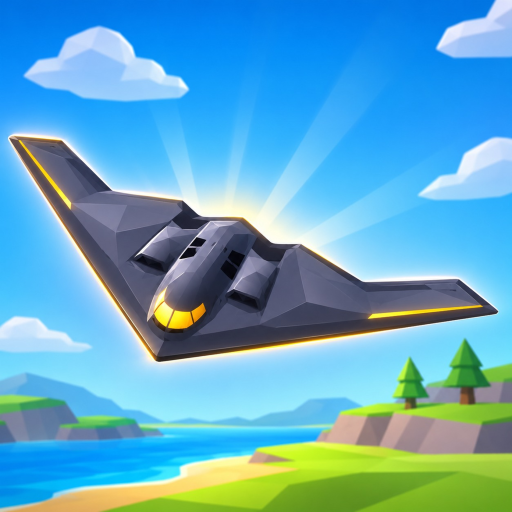
Promo codes are the fastest free Credits boost in Tiny Skies Fighter Jet & Helicopters, the Roblox air-combat game by katabin1. With roughly twenty-one jets and seven helicopters to unlock, paint, and upgrade—plus Flight School, Shop purchases, VIP perks, and Auto Rearm—every batch of Credits matters. This hub lists the active codes as of November 2026, shows exact rewards, walks through redemption, and points you to farming guides so codes are a bonus rather than your only income.
Always type codes carefully (they are case-sensitive on most Roblox experiences) and redeem soon after a patch. Developers retire codes without long notice when an event ends or a new drop replaces an older one.
Active codes (November 2026)
| Code | Reward | Status |
|---|---|---|
| BOMBERS | 5,000 Credits | Active |
| WELCOME | 1,000 Credits | Active |
Together these two codes grant 6,000 Credits—enough to cover Flight School (~500 Credits) with a large remainder for early Shop upgrades, paint schemes, or a push toward a mid-tier airframe. Check this page after major patches such as the Bombers Update or roster drops; new codes often land with those releases.
How to redeem codes
- Launch Tiny Skies Fighter Jet & Helicopters on Roblox and wait until the lobby or hangar UI fully loads.
- Look for the Codes button at the top of the screen (near other lobby controls).
- Open the Codes panel, enter a code exactly as listed (for example
BOMBERSorWELCOME), and confirm. - Watch for a success toast or Credits balance update. If nothing happens, leave the panel, rejoin the server, and try once more.
- Redeem each code once per account. Expired or already-used codes return an error instead of Credits.
If the Codes button is missing, confirm you are in the latest place version, not a private test copy, and that UI scale or mobile layout is not hiding the top bar.
What to spend Credits on first
New pilots should not dump every code reward into the flashiest named jet. A smarter order:
- Flight School (~500 Credits) — Learn Mouse fly, guns, weapons, throttle, flares, gear, and map habits before spending big on airframes. See Getting Started and the dedicated Flight School guide.
- Practical Shop upgrades — Survivability and reload quality beat cosmetic paint early. Pair this with Shop, VIP & Upgrades.
- Free roster mastery — Free jets include the F-5E, A-4 Skyhawk, and MiG-21; free helis include Little Bird, Huey, and Medevac. Learn Strike, Dogfight, Free-for-All, and Naval carrier battles on these before chasing F-22, Su-57, F-35, F-14 Tomcat, MiG-25, A-10, or helis such as Cobra, Hind, Apache, and Ka-52.
- Named / premium airframes — Buy when you know your preferred role (interceptor, striker, gunship, or support heli).
For longer-term Credit income beyond codes, follow How to Earn Credits.
Where to find new codes
Official drops usually appear when katabin1 ships content (Bombers Update with airframes such as the B-52H and Tu-22M3, the 3 New Jets package with F-104, F-15 STOL, and Mirage 2000, or map additions). Watch the game’s Roblox page description and community Discord / KatCreations-style announcement channels for exact strings. This wiki updates the table above when a code is confirmed active; we do not invent unreleased codes.
Codes vs progression systems
Codes stack with normal play. Daily missions, match payouts, kill streaks, and medals still matter for competitive pilots who want VIP value and Auto Rearm habits. Treat BOMBERS and WELCOME as accelerators: claim them, finish Flight School, then grind modes that match your aircraft. Dogfight rewards clean 1v1 skill; Strike and Naval reward teamwork and loadout discipline; Free-for-All rewards awareness and flare timing.
Common redeem problems
- Invalid code — Typo, wrong case, or the code already expired after an event window.
- Already redeemed — Each code is one-time per Roblox account.
- No Credits toast — Rejoin, check the top-bar Codes button again, and verify you are not in a broken private server.
- Spending regret — Prefer Flight School and upgrades before locking Credits into a jet you have never flown in practice.
Bookmark this Codes Hub, cross-check Updates after patches, and keep Earn Credits open when you need a non-code income plan.
Frequently Asked Questions
Quick answers about jets, helicopters, credits, and match modes.
What are the active Tiny Skies codes in November 2026?
BOMBERS grants 5,000 Credits and WELCOME grants 1,000 Credits. Redeem both from the Codes button at the top of the screen.
How do I redeem codes in Tiny Skies Fighter Jet & Helicopters?
Join the game, open the Codes button at the top of the screen, enter the code exactly, and confirm. Each code works once per account.
Are Tiny Skies codes case-sensitive?
Enter codes exactly as published (for example BOMBERS and WELCOME). Mismatched case or extra spaces usually fail.
What should I buy first with code Credits?
Prioritize Flight School (~500 Credits), then practical Shop upgrades, then named jets or helis after you master free airframes.
Where do new Tiny Skies codes get announced?
Watch the Roblox game page and community Discord / KatCreations-style channels after major updates such as Bombers or new jet drops.